

Capture modes
4


Revopoint MetroX 3D Scanner

Available on Click & Collect · Pay by card or cash at pickup, or choose bank transfer at checkout How does it work?
4
Up to 0.02 mm
Turntable scanning
| Model | MetroX |
|---|---|
| Capture types | Handheld; desktop |
| Scanning technology | Multi-line blue laser and full-field structured light |
| Light pattern | 14 crossed laser lines; 7 parallel laser lines; 62 full-field light lines |
| Single-frame precision, up to | 0.01 mm |
| Single-frame accuracy, up to | 0.02 mm |
| Volumetric accuracy | 0.025 mm + 0.05 mm × L (m); L = object length |
| Fused point distance | 0.05 mm |
| Working distance | 200–400 mm |
| Capture area at nearest distance | 160 × 70 mm at 200 mm |
| Capture area at farthest distance | 320 × 215 mm at 400 mm |
| Angular field of view | 43 × 33° |
| Minimum scan volume | 10 × 10 × 10 mm |
| Maximum scan volume | 1 × 1 × 1 m |
| Scanning speed, up to | Laser: 800,000 points/s; full-field: 7,000,000 points/s |
| RGB camera resolution, up to | 2 MP |
| Colour scanning | Auto Turntable Mode only |
| Tracking methods | Feature; Marker; Global Marker |
| Outdoor scanning | No |
| Auxiliary lighting | 12 blue LEDs |
| CPU | 4-core ARM; 2.0 GHz |
| Control buttons | 4 |
| Compatible computer operating systems | Windows 10/11 (64-bit); macOS 11.0+ |
| Software | Revo Metro |
| Output formats | PLY, OBJ, STL, ASC, 3MF, GLTF, FBX |
| Connector | USB Type-C |
| Power supply | DC 12 V, 3 A |
| Scanner weight | 508 g |
| Dimensions (L × W × H) | 209 × 88 × 44 mm |
| User recalibration | Yes |
| 3D printing compatible | Yes |
| Special surfaces | Laser modes: spray for transparent or specular surfaces. Full-field: spray recommended for transparent, black, specular or highly reflective surfaces. |
| Minimum computer requirements | macOS: M1 Pro/Max/Ultra, 16 GB RAM. Windows: i7 13th Gen or Ryzen 7 5800, 32 GB RAM, RTX 3060 (8 GB). GPU acceleration: laser modes on supported NVIDIA GPUs; not AMD/macOS. |
| Recommended computer requirements | macOS: M2/M3 Pro/Max/Ultra, 24 GB RAM. Windows: i9 12th Gen+, 64 GB RAM, RTX 4060 (8 GB)+ |
1 MetroX scanner
1 tripod and scanner holder
1 wrist strap
1 power adapter (2 m)
1 USB Type-A to C cable
1 USB Type-C to A adapter
1 dual-axis turntable
1 set of calibration boards
500 markers (6 mm)
1 carrying case
1 test bust
1 quick start guide
Certificate and warranty card
Revopoint
A hybrid blue-light scanner for small and medium parts, combining laser capture and full-field structured light.
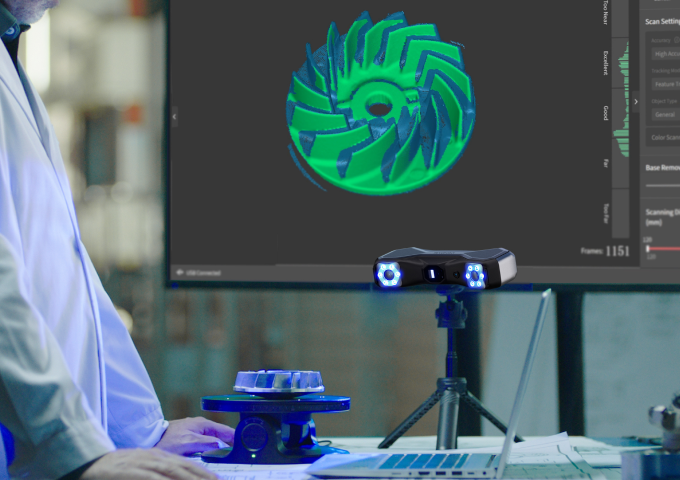
The original MetroX offers crossed and parallel laser modes, full-field scanning and automated turntable capture. The original MetroX has 14 crossed laser lines, seven parallel laser lines, full-field blue structured light and automatic turntable scanning. MetroX Pro has different laser counts and performance; those Pro specifications do not apply to this model.
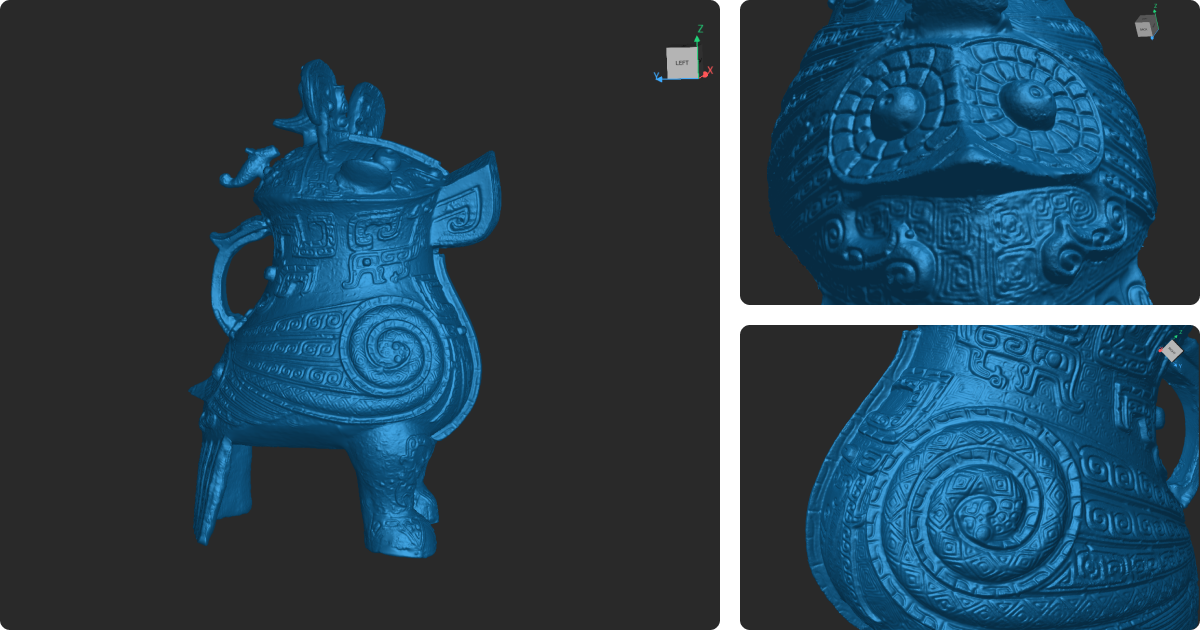
Use the resulting mesh as a starting point for reverse engineering, part comparison or 3D-printing preparation.
Revo Metro handles capture and mesh processing. Check the computer requirements for the chosen scanning mode before purchase. The scanning software provides fusion, meshing, hole filling, smoothing and simplification. Export to design, inspection or slicing tools; dedicated Revo Design and Revo Measure workflows are separate software choices.
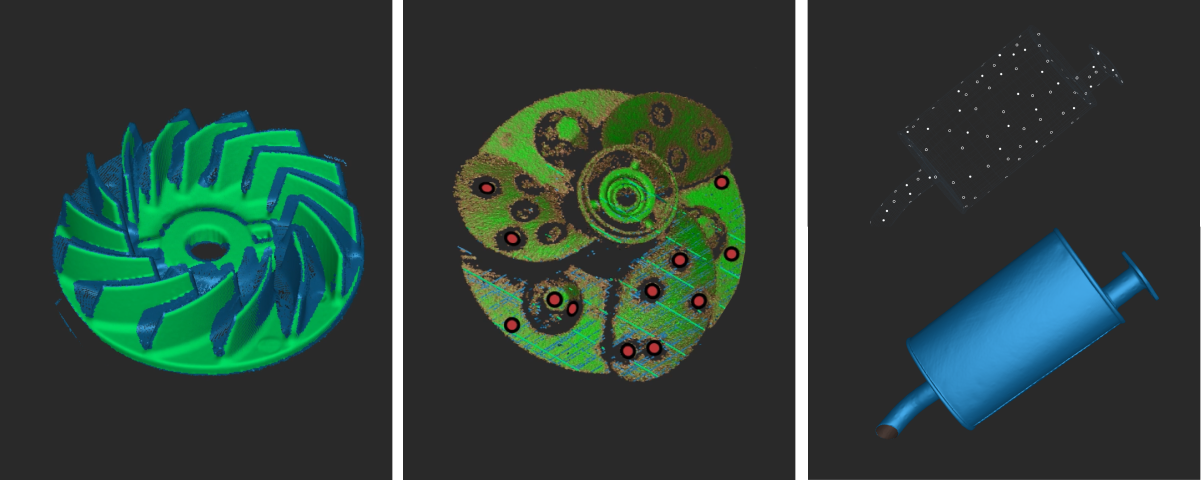
Feature tracking suits distinctive geometry, marker tracking supports featureless objects and global markers help organise larger captures. Surface preparation depends on the mode: dark or shiny surfaces may need spray in full-field and turntable modes.
With the compatible dual-axis turntable, MetroX coordinates movement and capture through the software. Colour texture is available in Auto Turntable mode rather than every laser-scanning mode.
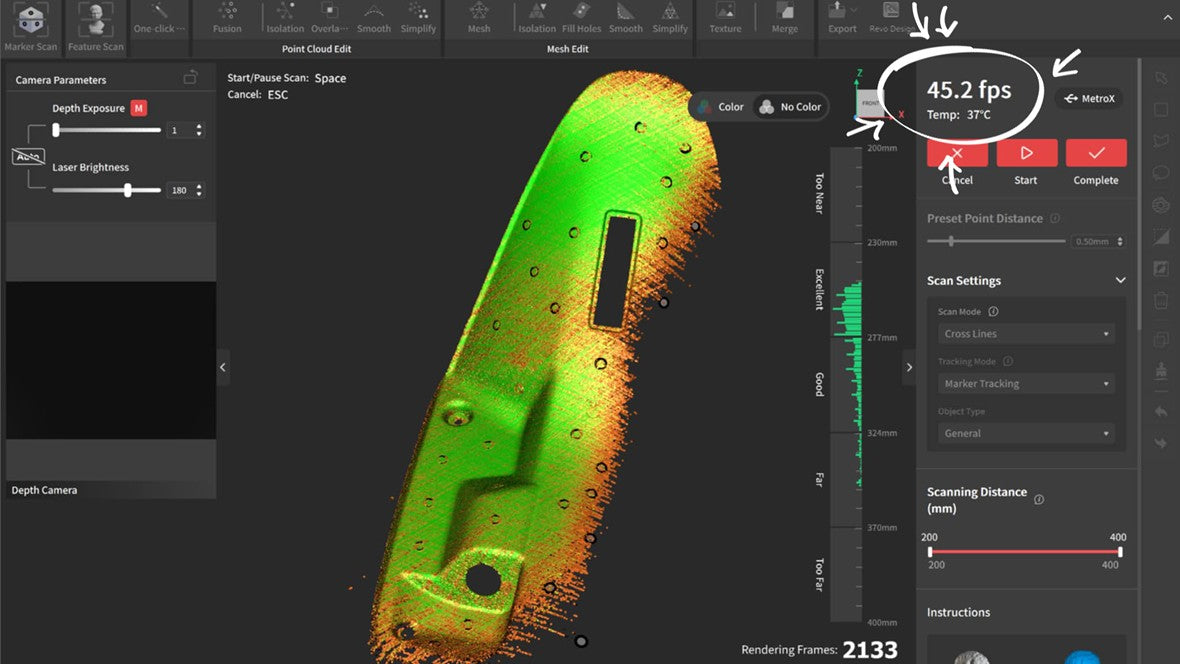
Laser-mode acceleration depends on a supported NVIDIA GPU and Windows configuration. Review the manufacturer’s current CPU, memory and graphics requirements before choosing the workstation, particularly for dense scans and large projects.